












Ornatrix V2 review
Dynamics:
This is still a rough area for all hair systems. While Ornatrix has integrated with MassFX, the Nvidia based dynamic system inside 3ds Max, it has both pros & cons. This is an area that really could use some advancements in the tech side of things and let’s hope we see some Siggraph breakthrough’s soon. Now the pros about Ornatrix and MassFX integration is that it works with MassFX like in any other MassFX setup. You apply the dynamics modifier and you press “Play” on the MassFX toolbar. If you want to bake your animation, you do it the same way you would with any other MassFX object. It’s pretty interactive but does suffer the limitations that come with using MassFX and there are a lot of them. For example if you have a character walking around with long hair and you need the hair to collide with the deforming character mesh you are out of luck. MassFX does not support deforming meshes in 3dsmax 2013. Another thing that you will run into is a lot of errors and maxscript crashes using MassFX.
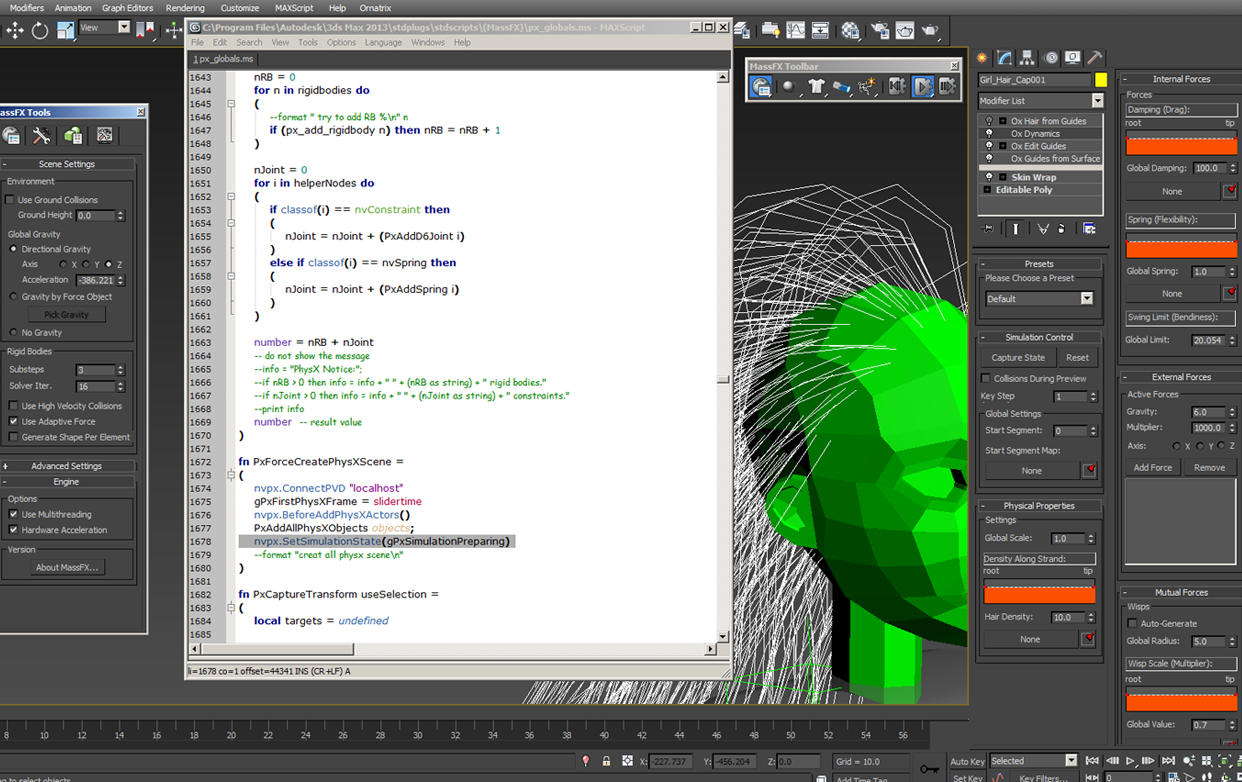
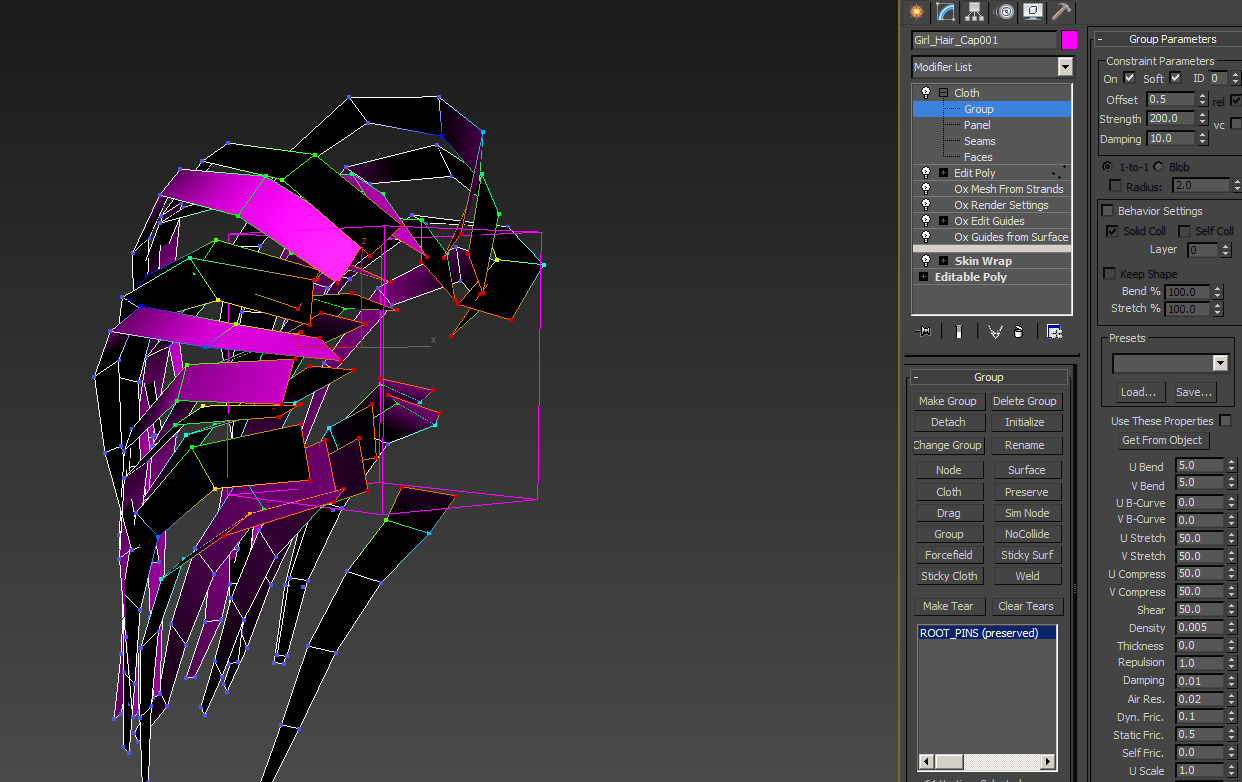
Maybe over time someone will find the right settings and what works best in this workflow but in my testing it wasn’t very usable. This isn’t a slight on Ornatrix but a limitation of this thing called MassFX. For very simple situations this may work out fine and might be even a good solution for other types of things like moving grass or leaves, etc. Now with that being said Ornatrix still has the great ability to use the “Cloth Strips” method for simulating hairs. This method allows you to use the power of 3ds Max’s cloth system which is a fast, stable and powerful tool-set.
Conclusion:
Ornatrix v2.0 is a solid hair system that seems to be the better choice among other solutions. If you haven’t taken a solid look at Ornatrix in a while it’s time to do so now. For those that do not use the default 3ds Max hair system and are interested in finding a good hair solution you should take a peek. The flexibility in the way this hair system is designed gives you more control and it is a lot easier to work with. The integration with Vray is a must if that is your renderer of choice. While the dynamic solution isn’t better than the current standards out there Ornatrix provides you with options. At the time of this review Ornatrix lacks in the areas of tutorials which is a major Con in this type of technical product. Michael McCarthy from Ephere has stated that they are in the process of making tutorials based on the basics and production examples. Also another note on documentation. You have the ability to download the help file in .chm format to view locally. I give this product 4 out of 5 stars.

Joe Gunn
Author Notes:
Joe Gunn is a visual FX Arist & Technical Director with over 12 years of experience. He has previously authored “Hair 3dsmax…out of the box” hair training DVD. Also has a background in both feature film and the commercial industry. You can find out more about his work & background by visiting his website.



Good review!! If you get the opportunity, would be cool to do a review comparing Ornatrix 2.0 to HairFarm 2 now that VRay supports both in VRay 2.4
Thanks for the hair strip image, was trying to figure that out.
[…] off, I would like to mention and thank this great Ornatrix 2 Review by Joe Gun. It inspired me to write down this post. It is not meant to be a concise review, but rather, more […]