













Ornatrix V2 review
UI & Workflow:
The only real User Interface for Ornatrix is seen when it comes time to render Ornatrix’s built in render engines. There are two different engines to chose from,”Ox Hair Raytrace Fast” and “Ox Hair Raytrace Accurate”.
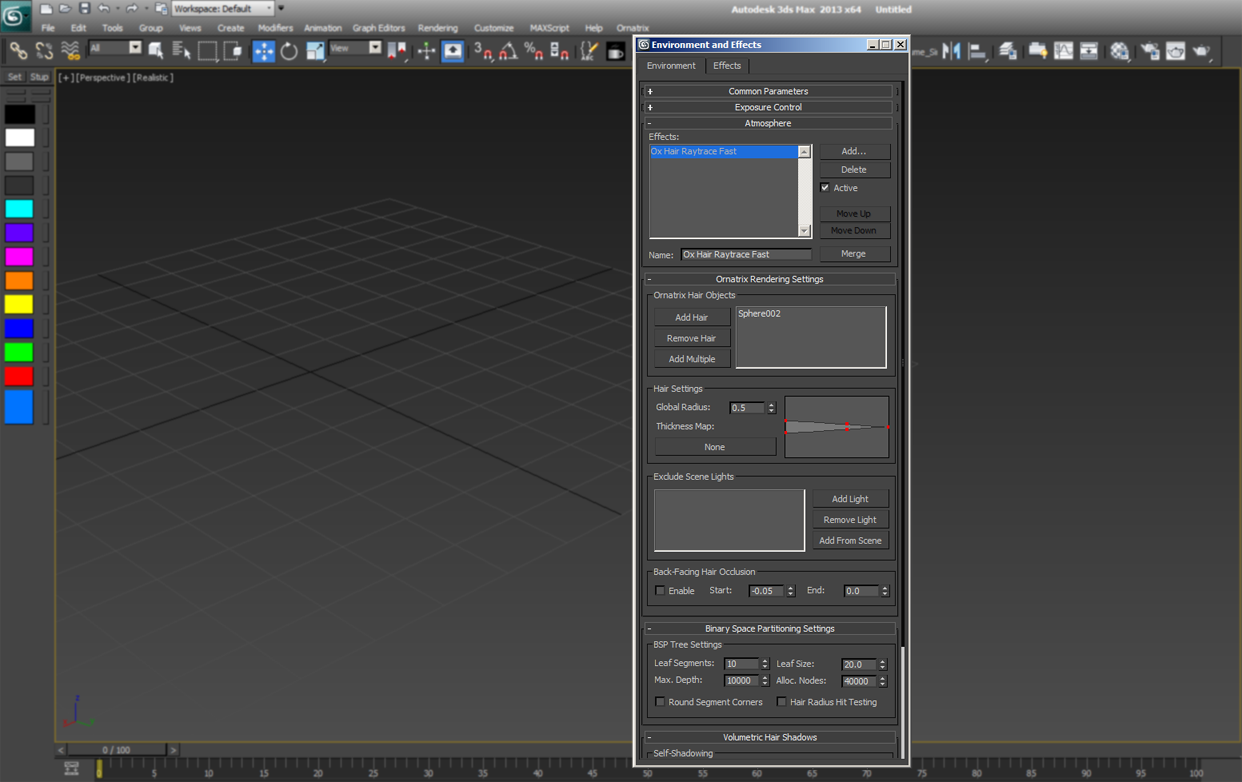
While the render speeds of these Ornatrix-native render engines might seem obvious based on their names, I found that the Accurate version wasn’t slow at all. Perhaps it’s a sign of the times, since maybe 5 or 6 years ago you would have used the “Fast” method over the “Accurate” but not with today’s hardware. Everything else is modifier based so it’s a very familiar workflow for a 3ds Max user. As I’ve stated in the Pros list, the modifier stack flexibility is great. However it could use some improvements and I will explain why. When you first begin working with Ornatrix, it’s easy to use by choosing “Add hair to selection” from the Ornatrix main menu dropdown. What this does is pop on 3 essential modifiers in order to work with Ornatrix. This is great and if you are using the built in renderer another nice option is the Ornatrix “Setup Fast Raytracer From Selection”. This adds Ornatrix to the Atmospheric effects tab in 3dsmax. Having the ability to copy and paste modifiers, rename modifiers, stack them and reorder them is a native workflow in 3ds Max and makes Ornatrix a cut above the rest. One down side to this is that when setting up specific tasks such as viewport displays vs render displays or even setting up for rendering with Vray, you need to know the stack order and which modifiers to use. There is a big list of modifiers to get to know but over time, like anything else, it becomes second nature.
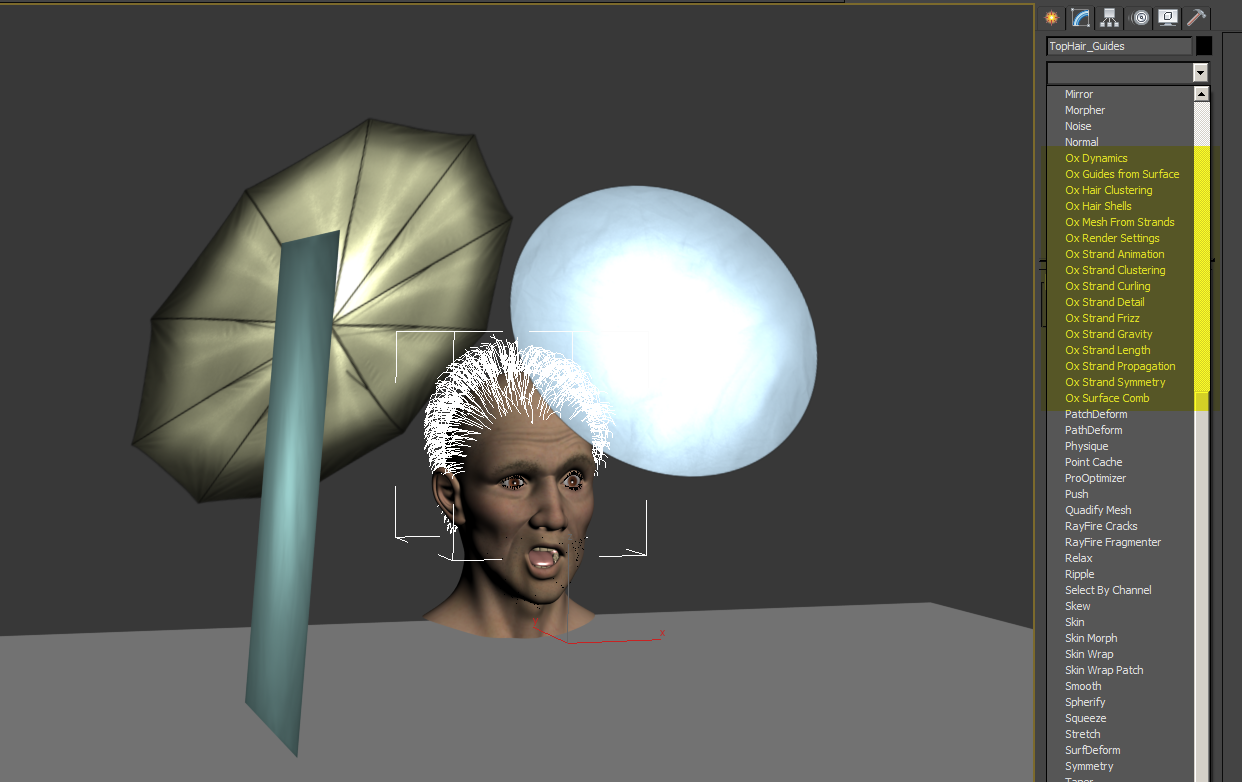
The Ornatrix modifier workflow is also where some improvements could be made. For example when using MassFX dynamics it’s suggested that no other modifiers above this modifier be active. At the same time it should be placed above the guides and below hairs. While I’m familiar with hair dynamics and their limitations and processes not everyone is aware of these things or workflows. So it would be great to have more quick “Add” options like “Add hair to selection” to help on those tasks. But even with this issue, a positive note is the ability to do all this via maxscript.




Good review!! If you get the opportunity, would be cool to do a review comparing Ornatrix 2.0 to HairFarm 2 now that VRay supports both in VRay 2.4
Thanks for the hair strip image, was trying to figure that out.
[…] off, I would like to mention and thank this great Ornatrix 2 Review by Joe Gun. It inspired me to write down this post. It is not meant to be a concise review, but rather, more […]