












Ornatrix V2 review
Grooming & Materials:
Grooming your hair with Ornatrix is easy and highly controllable. You can setup hair on objects or splines. You can also use multiple modifiers to control the grooming and styles of your hair. If you need to use a set of guide splines that you’ve had previously created like I did in this review it’s no problem. It’s a nice feature to have since some guides will come from apps like Zbrush or other 3d apps for that matter. Grooming is very flexible with Ornatrix especially through the use of attractors called “Sinks”.

Using the “Surface Comb” modifier you can draw “attractors” on the surface of your hair object which flow the hairs in a direction. This is a super fast way to groom your hair. If you are putting fur on a character this would be the perfect starting point. Grooming brushes work similarly to the way the default 3dsmax hair works.
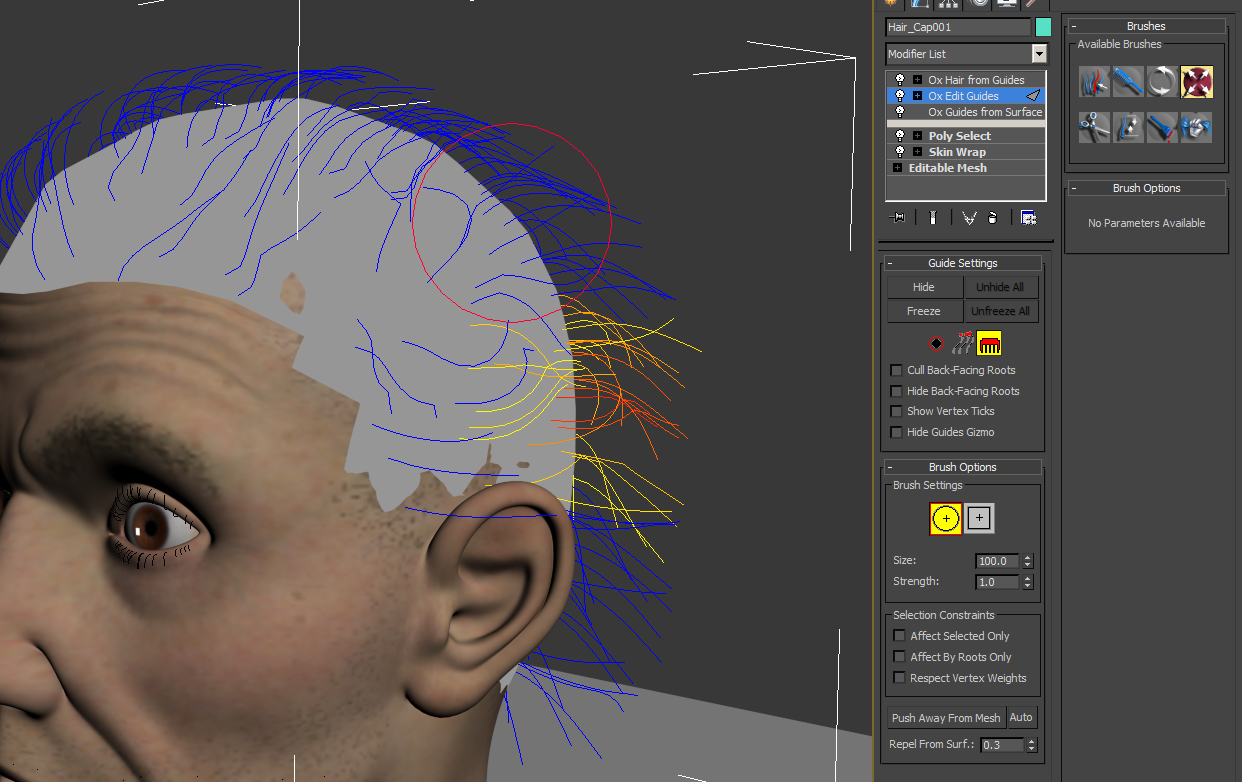
You can comb hairs in the viewport with several different brushes. I found the interactivity very controllable even more so than the default hair system in 3ds Max. You can control hairs at the root or tip and even braid selected hairs if you wish. Again because of the modifier stack workflow with Ornatrix you have a lot of power when it comes to grooming. There are many features to explore like, “Ox Strand Curling”, “Ox Strand Frizz”, “Ox Strand Symmetry” just to name a few.
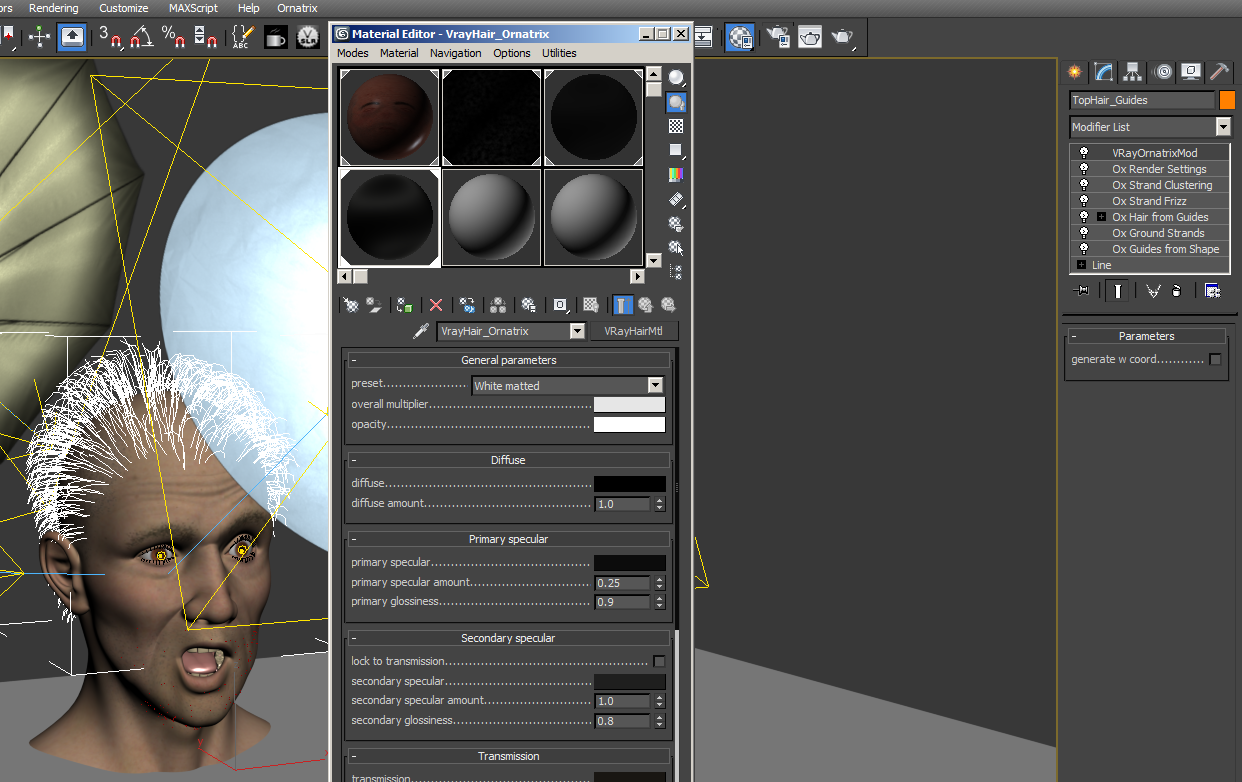
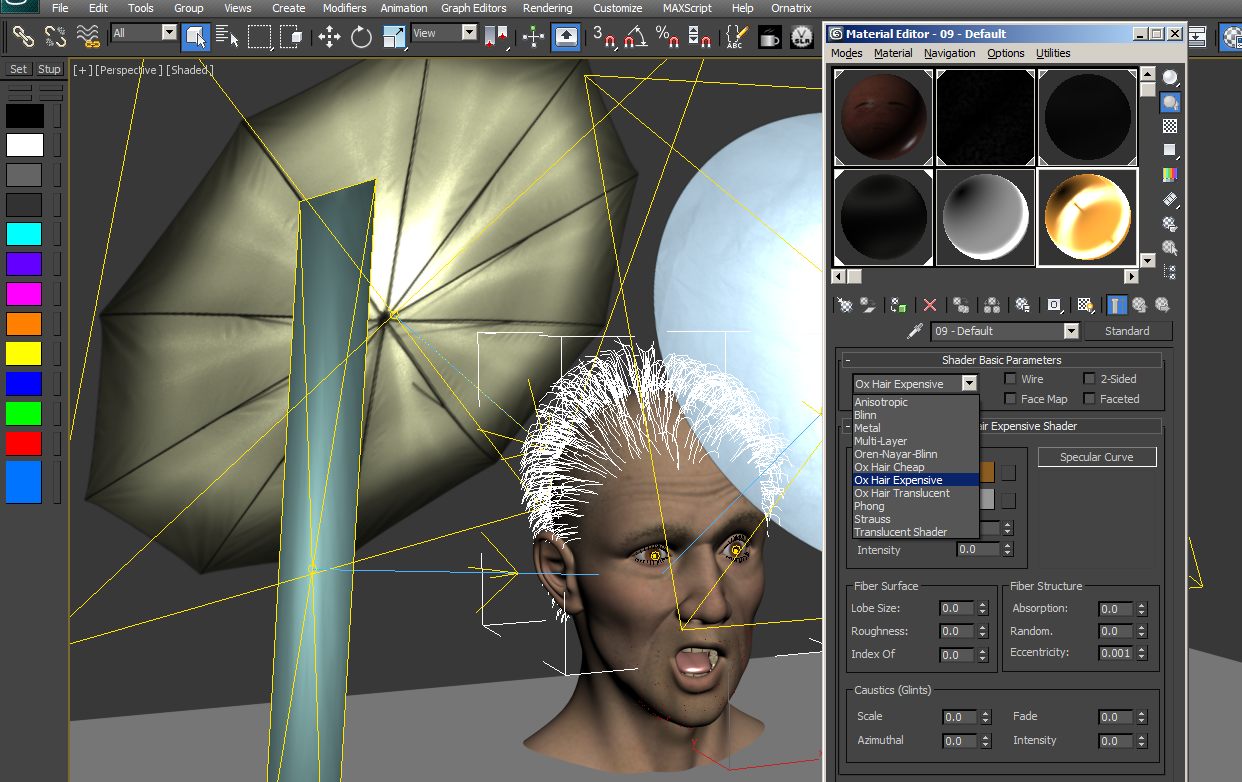
Now let’s move on to talking about materials and how you can make the hairs look good. In this review I used an older character that I used with the default 3ds Max hair system along with Vray. It was a fitting choice to use for this review as Ornatrix works really well with Vray. Ornatrix can use the Vray hair shader and all the controls they offer. You can also use a standard 3ds Max material with the Ornatrix shaders “Ox Hair Cheap”, “Ox Hair Expensive”, or “Ox Hair Translucent”. Along with the shaders provided by Ornatrix you can use maps in many of the parameter slots to get some very fine control.
Lighting & Rendering
Ornatrix will work with standard 3ds Max lights and can be rendered with the scanline renderer & mental ray which are the two main native renderers inside 3ds Max. Vray has a nice integration with the “VRayOrnatrixMod” modifier as well. Testing with standard spotlights and omni lights in max gave some nice results quickly. Using a standard light gives you several shadow options that you must use in order to get shadows on the hairs. “Ox Deep Shadow Maps”, “OX Hair Shadow”, & “OX Raytraced Shadows” are the options when using standard 3ds Max lights. In this review I was not able to test photometric lights so at this time I have no comments for photometric lighting. To get a fair comparison in regards to lighting & rendering with hair I used as close to the same exact setups as possible for testing with the default 3ds Max hair system & Ornatrix.
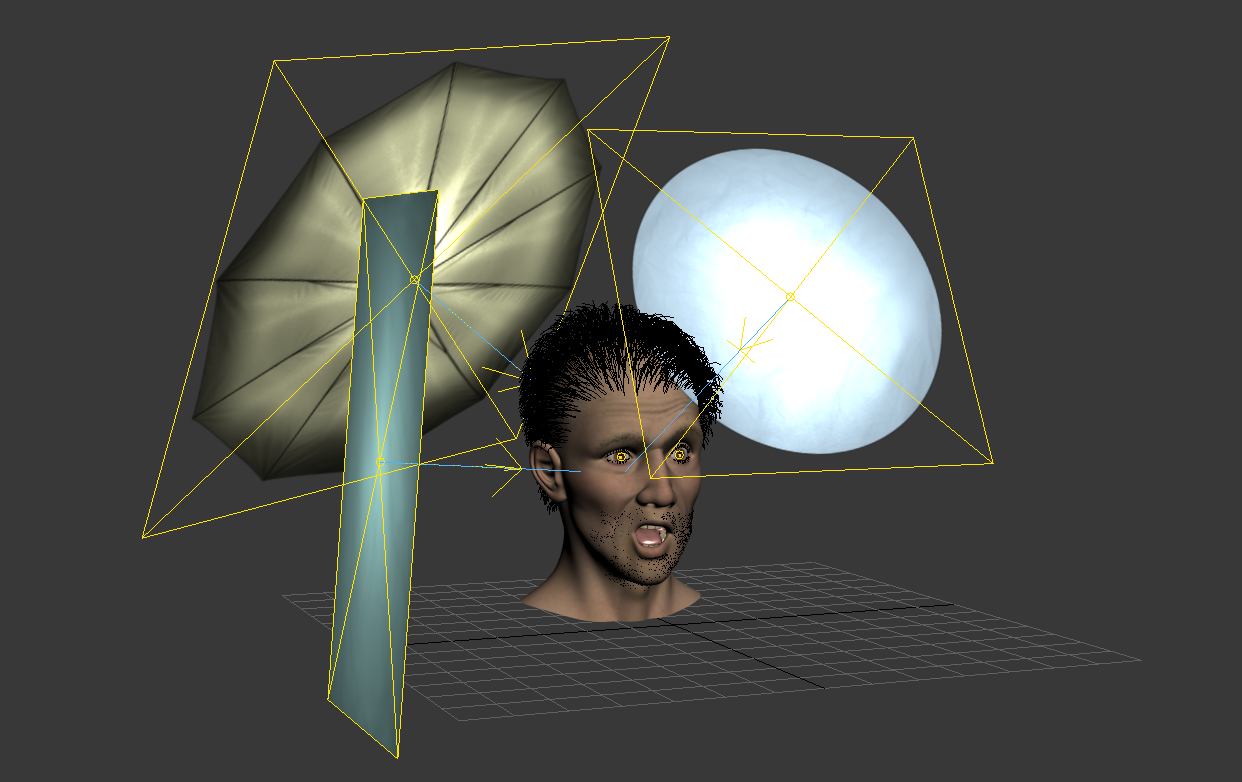
In my test I used a file that was created originally in 3ds Max 2010 with Vray and the default hair system. I used that same 3ds Max file and set it up as closely as possible with Ornatrix to do a straight comparison. In order to do that I extracted the hair guides to splines from the default hair system in 3ds Max which was already groomed. I then used “Ox Guides from Shape” modifier applied to those extracted hair guides which gave me exact results. Next I grounded those to my hair cap with the modifier “Ox Ground Strands”. After that I just created hairs from those guides. Then to get it very close to the default 3ds Max hair system I used the Frizz & Cluster modifiers from Ornatrix and rendered with the “VrayOrnatrixMod”. Both the default 3ds Max hair render & Ornatrix render used the lighting setup from the Vray Studio Light Rig from the A&G Tool Company. Some additional notes on the setup I used are that the character used Vray’s subsurface scatter shader and global illumination during these renders. Please view the image below to see a side by side comparison with render times and hair counts.
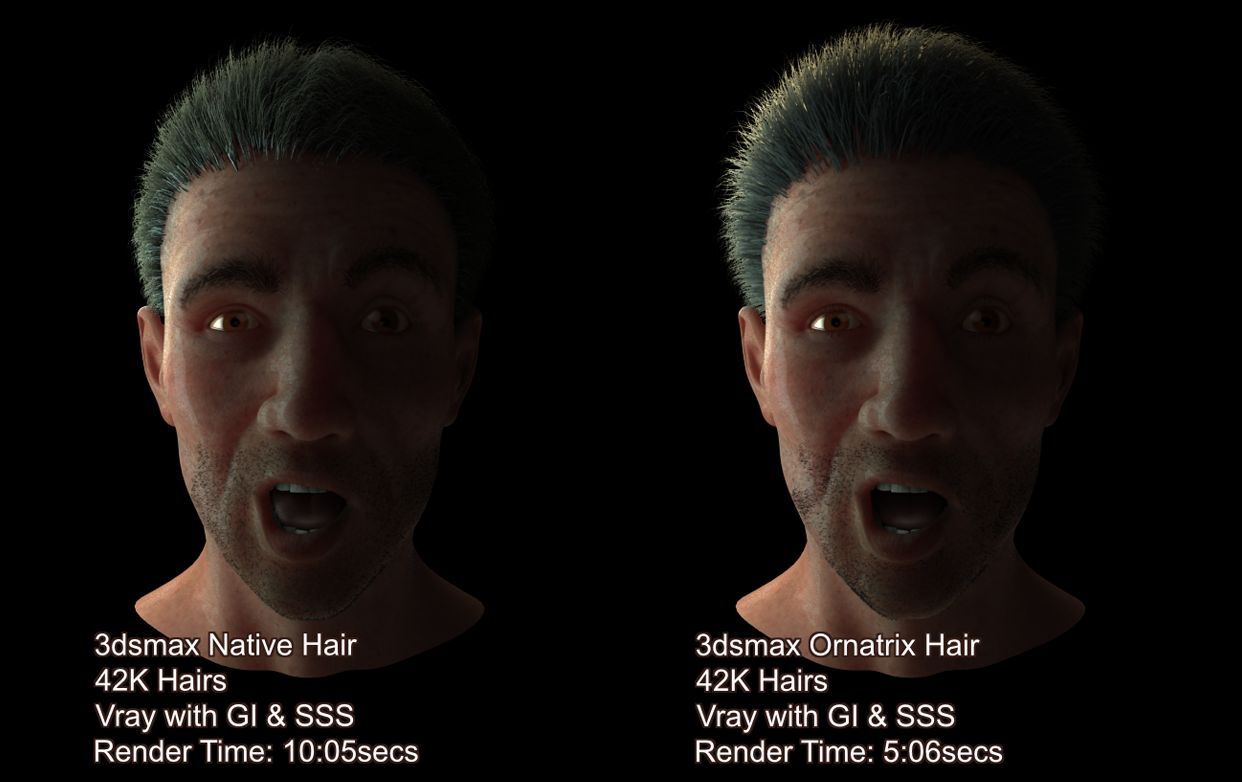
Ornatrix rendered in about half the time and the lighting quality is much better. Also note the hair counts are very low and this was due to limitations in the native 3ds Max hair system. Using a higher hair count made the native 3ds Max hair system renderer times not worth the wait. However with Ornatrix it wouldn’t have been a problem as it seems to eat high hair counts with no problem.



Good review!! If you get the opportunity, would be cool to do a review comparing Ornatrix 2.0 to HairFarm 2 now that VRay supports both in VRay 2.4
Thanks for the hair strip image, was trying to figure that out.
[…] off, I would like to mention and thank this great Ornatrix 2 Review by Joe Gun. It inspired me to write down this post. It is not meant to be a concise review, but rather, more […]